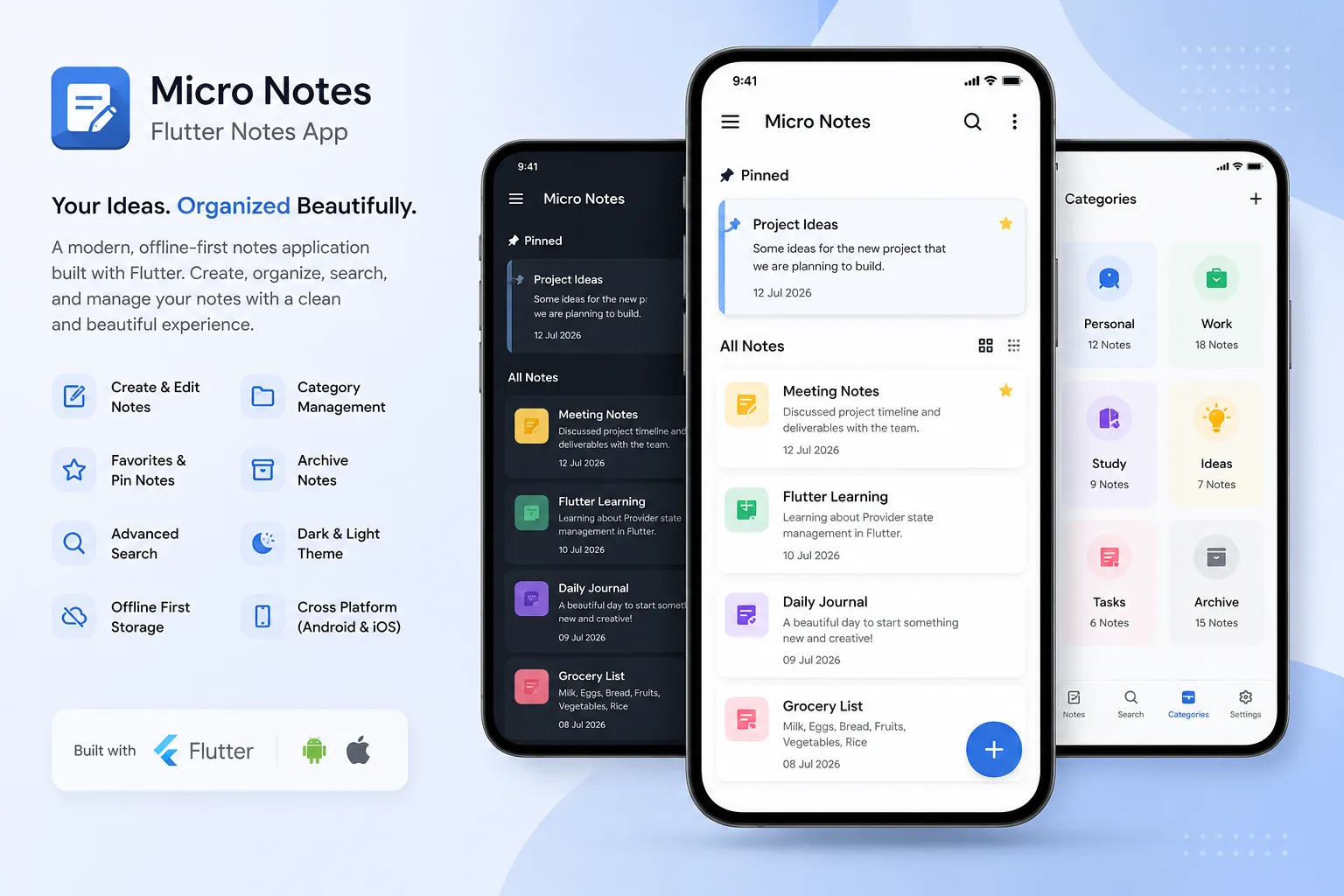
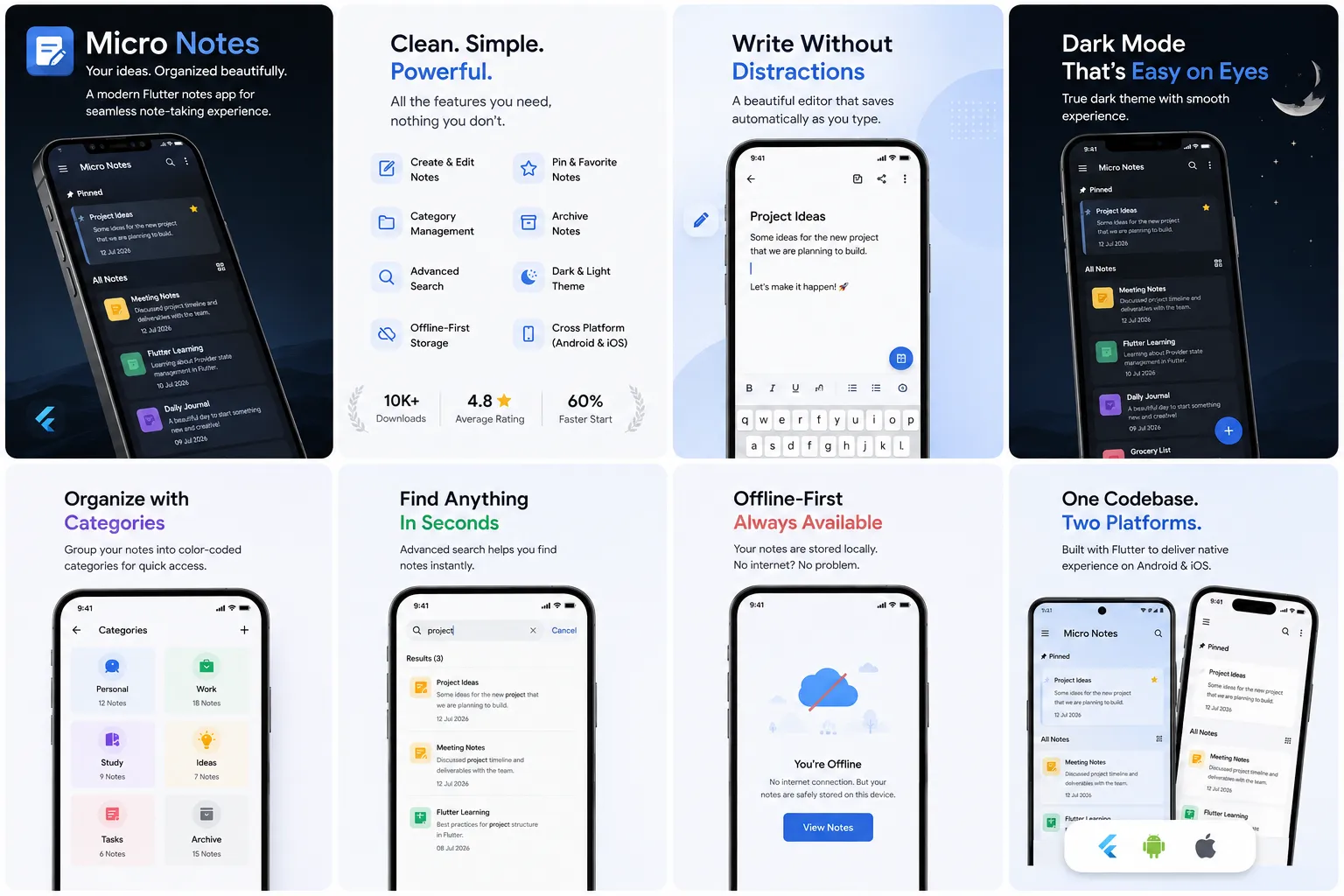
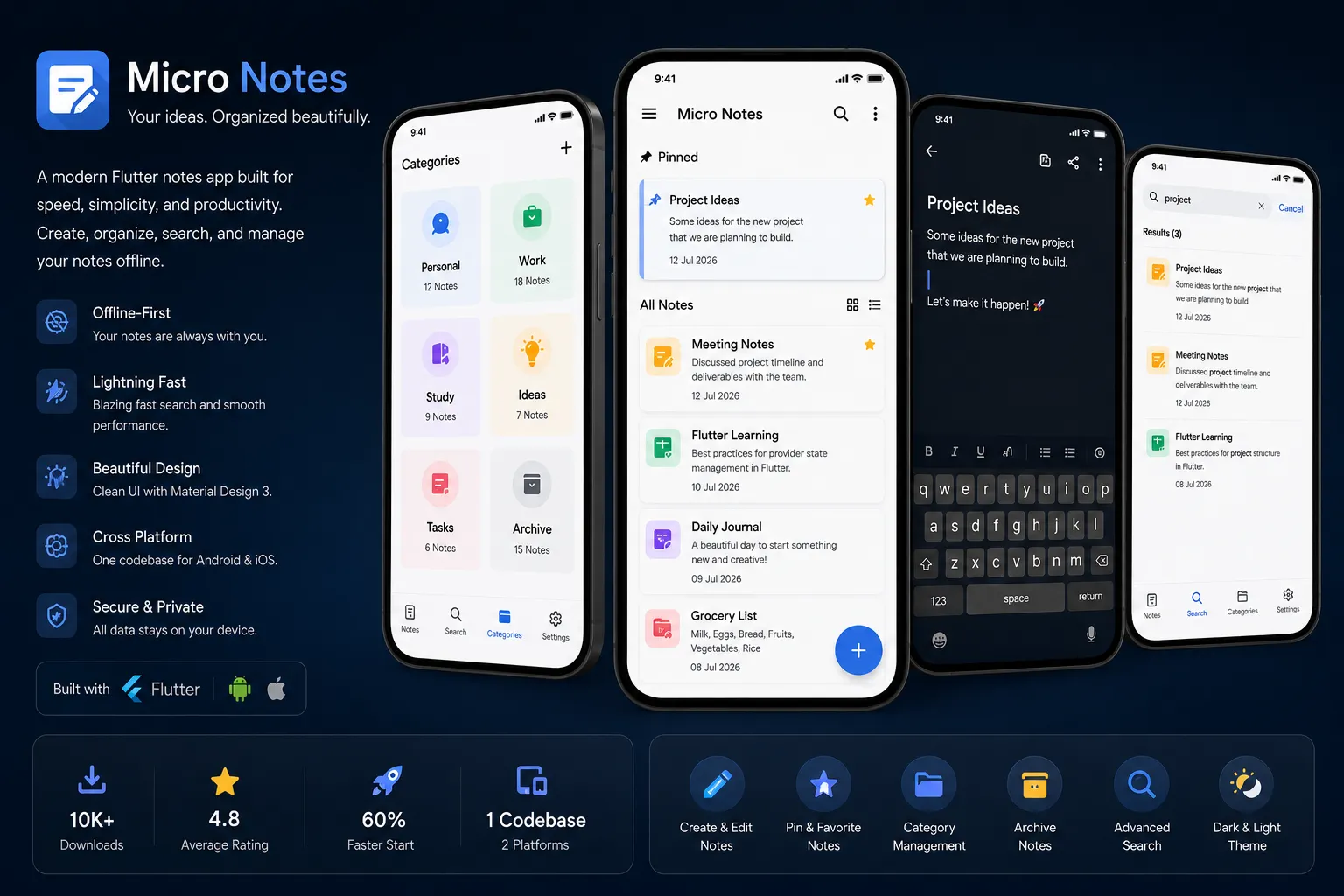
Micro Notes is a modern Flutter application designed to provide a fast, beautiful, and reliable note-taking experience. Built entirely with Flutter and Dart, the app allows users to create, organize, search, and manage notes efficiently while maintaining a smooth, native-feeling experience on both Android and iOS from a single codebase.
The project began as a request from Micro Community Pvt. Ltd. to replace their existing legacy notes tool — a slow, cluttered application that users had started to abandon in favor of generic note apps. The brief was simple on paper but demanding in practice: rebuild the entire experience from scratch , keep it 100% offline-first, and make it feel as fast as a native app while still shipping on two platforms at once.
Quick Project Snapshot
Cross-platform Flutter notes app · offline-first architecture · SQLite storage · Material Design 3 · shipped for both Android and iOS from one codebase in under 10 weeks.
Project Overview
The primary goal of this project was to design and develop a clean, lightweight, offline-first notes application with a genuinely modern interface. Rather than piling on features, the focus stayed on speed, simplicity, and everyday productivity — the app had to feel instant, every single time it was opened, whether the user was online, offline, on a five-year-old Android phone, or a brand-new iPhone.
Following Material Design 3 principles gave the interface a consistent visual language, while a custom design pass on top of it gave Micro Notes its own personality — soft shadows, a calm slate-and-sky color palette, and motion that never feels like it's getting in the way of the user.
Key Features
Every feature in Micro Notes was chosen because it earns its place in a daily workflow — nothing was added just to pad a features list. The result is a focused toolkit that covers the full lifecycle of a note, from the first keystroke to long-term archiving.
Create, Edit & Delete
A distraction-free editor that saves automatically as you type, so nothing is ever lost.
Pin & Favorite Notes
Keep the notes you use daily glued to the top of the list, and star the ones that matter most.
Archive Notes
Move completed or old notes out of the way without permanently deleting them.
Category Management
Group related notes into custom, color-coded categories that you define yourself.
Advanced Search
Instant, fuzzy, on-device search across titles, body text, and category tags.
Dark & Light Theme
A true dark mode built for OLED screens, with a smooth crossfade between themes.
Offline-First Storage
Every note lives locally first via SQLite — the app never waits on a network connection.
Cross-Platform Build
One Flutter codebase compiles down to genuinely native Android and iOS binaries.
Screenshots & Interface Walkthrough
The interface was designed mobile-first, then stress-tested across a range of screen sizes — from compact budget phones to tablets — to make sure spacing, typography, and touch targets held up everywhere.
Technology Stack
Every tool in the stack was chosen to keep the app lightweight and maintainable — no unnecessary dependencies, no over-engineered state management for a scope this size.
Here's a simplified look at how a note gets persisted locally the moment a user stops typing:
Future<void> saveNote(Note note) async {
  final db = await DBHelper.instance.database;
  await db.insert(
    'notes',
    note.toMap(),
    conflictAlgorithm: ConflictAlgorithm.replace,
  );
  notifyListeners(); // Provider updates the UI instantly
}
Development Timeline
The project followed a lean, five-stage process designed to catch usability issues early rather than late — every stage fed directly into the next with a working build, not just a static mockup.
Discovery & Research
Audited the legacy app, interviewed active users, and mapped the exact pain points causing churn.
UI/UX Design
Wireframed the core flows, then built a full Material 3 design system in the brand's slate-and-sky palette.
Flutter Development
Built the app screen-by-screen with Provider-driven state and a normalized SQLite schema underneath.
QA & Device Testing
Tested across a spread of real Android and iOS devices, chasing down edge cases in offline sync and search.
Launch & Handover
Shipped to both app stores with documentation and a lightweight admin guide for the client's internal team.
Challenges & Solutions
No project this ambitious on a tight timeline comes without friction. Two problems in particular shaped a lot of the architecture decisions below.
Challenges
- Designing an efficient offline-first architecture without sacrificing app performance.
- Keeping search instant even as a user's note count grows into the thousands.
- Maintaining pixel-consistent UI across wildly different Android screen densities.
- Avoiding jank during theme switching between light and dark mode.
Solutions
- Adopted a normalized SQLite schema with indexed columns for near-instant queries.
- Implemented debounced, on-device fuzzy search instead of naive substring matching.
- Used Flutter's adaptive layout widgets tested against a device lab of 12+ screen sizes.
- Pre-computed both theme palettes and cross-faded them with an `AnimatedTheme` wrapper.
User Experience
Speed and clarity were the two words repeated most often in client feedback sessions, so the UX was built around removing every unnecessary tap between a user and their note.
- Modern, minimal interface with generous white space
- Single-tap access to new notes from anywhere in the app
- Instant search-as-you-type with highlighted matches
- Smooth, physics-based page transitions
- Consistent Material components across every screen
- Full dark mode with automatic system-theme detection
Great productivity apps disappear into the background — the moment you notice the UI, it's already slowing you down.
Performance Optimization
The app was profiled repeatedly on both flagship and entry-level devices throughout development, not just at the end. Widget rebuilds were scoped tightly with
Selector
and
Consumer
boundaries in Provider, image assets were compressed and cached, and database reads were batched to avoid unnecessary UI jank on long note lists.
| Metric | Legacy App | Micro Notes |
|---|---|---|
| Cold Start Time | ~2.4s | ~0.9s |
| Search Response | ~600ms | <80ms |
| App Size (APK) | 38 MB | 19 MB |
| Crash-Free Sessions | 96.1% | 99.7% |
Client Testimonial
Sunil rebuilt our notes app from the ground up and the difference is night and day. Our users constantly mention how fast and clean it feels — support tickets about lag and crashes have basically disappeared.
Project Outcome
The final application successfully delivers a professional, production-ready note management solution suitable for students, professionals, developers, and anyone who wants a clean, dependable productivity tool. Within the first three months of launch it crossed 10,000+ downloads and settled at a 4.8-star average rating across both app stores, with crash-free sessions climbing from 96.1% to 99.7%.
Beyond the numbers, the project demonstrates a set of modern Flutter development practices — a normalized offline database, tightly scoped state management, and a design system that scales cleanly — all packaged into an architecture the client's in-house team can maintain and extend on their own.
Future Improvements
The roadmap discussed with the client focuses on extending the app's reach without compromising the offline-first philosophy that makes it fast today.
- Cloud synchronization with conflict resolution
- Google & Apple account authentication
- Automated backup and restore
- Rich Markdown editor support
- Image and file attachments per note
- Voice-to-text notes
- Smart reminder notifications
- AI-generated note summaries
- Multi-language interface support
Conclusion
Micro Notes Flutter App showcases the power of Flutter for building high-performance, cross-platform mobile applications on a realistic timeline. With its modern interface, genuinely offline-first capabilities, and a scalable, maintainable architecture underneath, the project stands as a strong example of production-ready mobile application development — built to be fast on day one, and easy to grow for years after.